Fleet management: deadlines, costs and profit per car
Insurance, inspection, registration and service dates with a daily digest, a file for every car, and the real profit each car makes.
An expired insurance or a missed inspection can take a car off the road — or worse. SaaSGarage keeps the paperwork of every car in one place and reminds you before it's too late.
Deadlines, with a daily digest
For every car you record the dates for:
- Insurance
- Technical inspection
- Registration
- Service
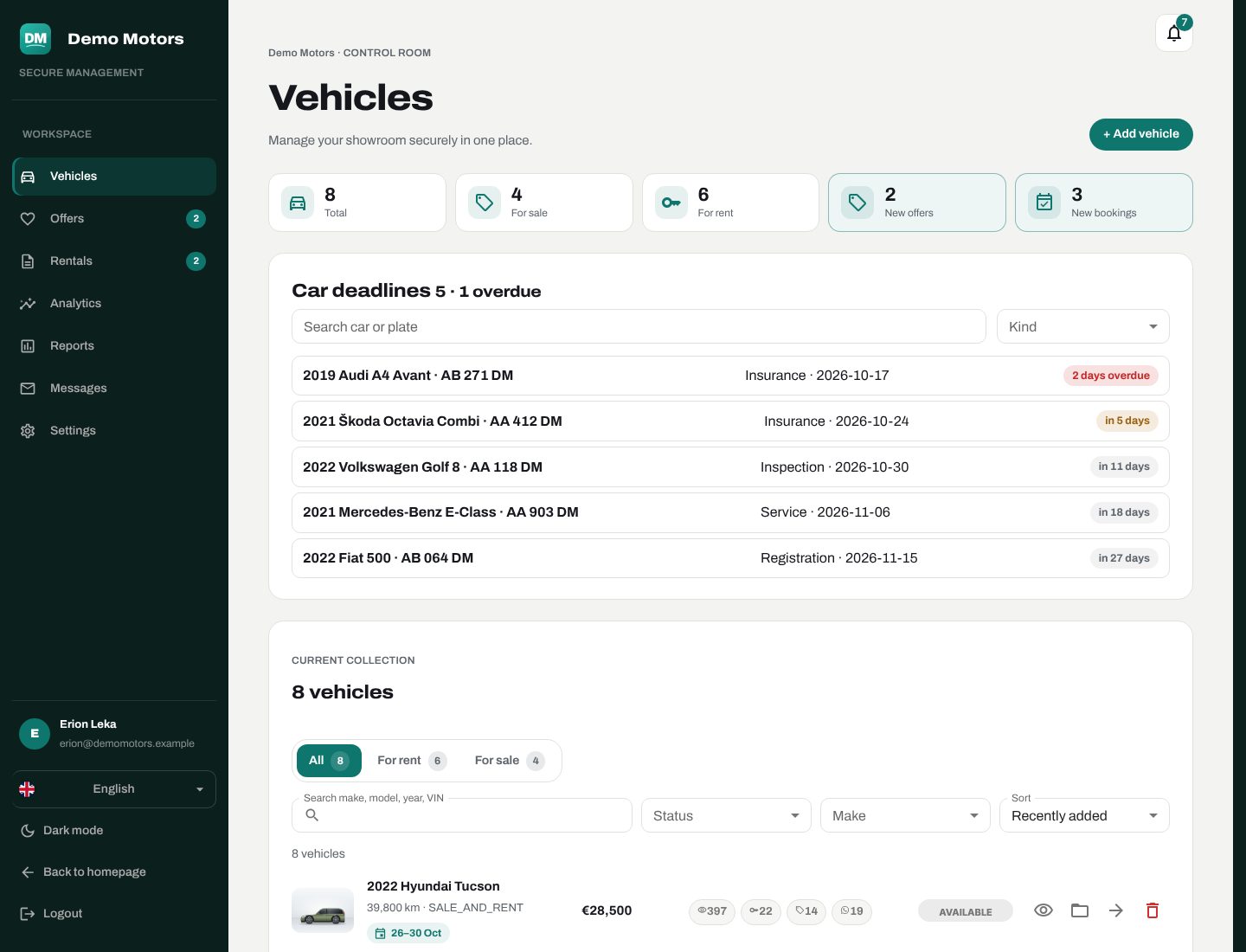
Each morning your team gets a digest email with what is due soon. The same deadlines appear at the top of the Vehicles screen, next to your fleet counts, and as admin alerts.
A file for every car
Each car has its own file with its documents, its costs (service, tyres, repairs, insurance…) and, when you sell it, its sale record.
Profit per car
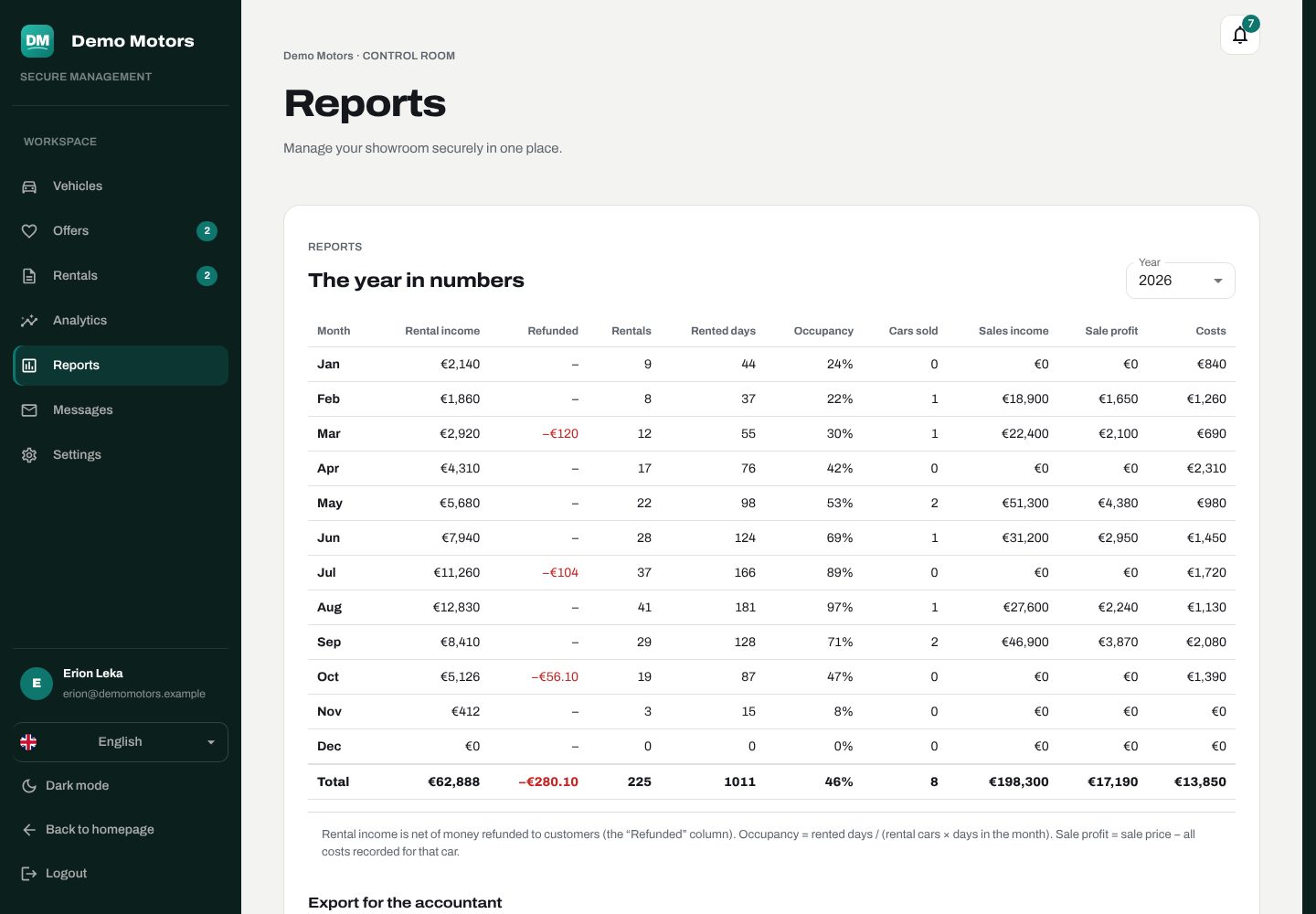
Because the platform knows what each car earned in rentals, what it cost, and what it sold for, it can show the profit per car — so you can see which cars pay for themselves and which only look good in the photos.
Fleet status at a glance
The admin opens straight on Vehicles: counts of cars available, rented and on sale, with rent and sale tabs, filters, and more cars loading as you scroll. A car's status follows its rentals automatically — it becomes rented at handover and available again when the rental closes.
Plan: deadlines are part of every plan. Profit and fleet reports are part of Business.