The rental workflow, step by step
From documents to handover inspection, a signed PDF agreement, the return and the final settlement — the guided wizard that runs every rental the same way.
Every rental goes through the same steps. SaaSGarage turns them into a guided wizard, so nothing is forgotten — whether the rental is handled at the desk or on a phone in the car park.
The steps
- Documents. Upload the driving licence (passport optional). The customer can do it themselves from a secure link. Files are checked by their actual content, not just their name.
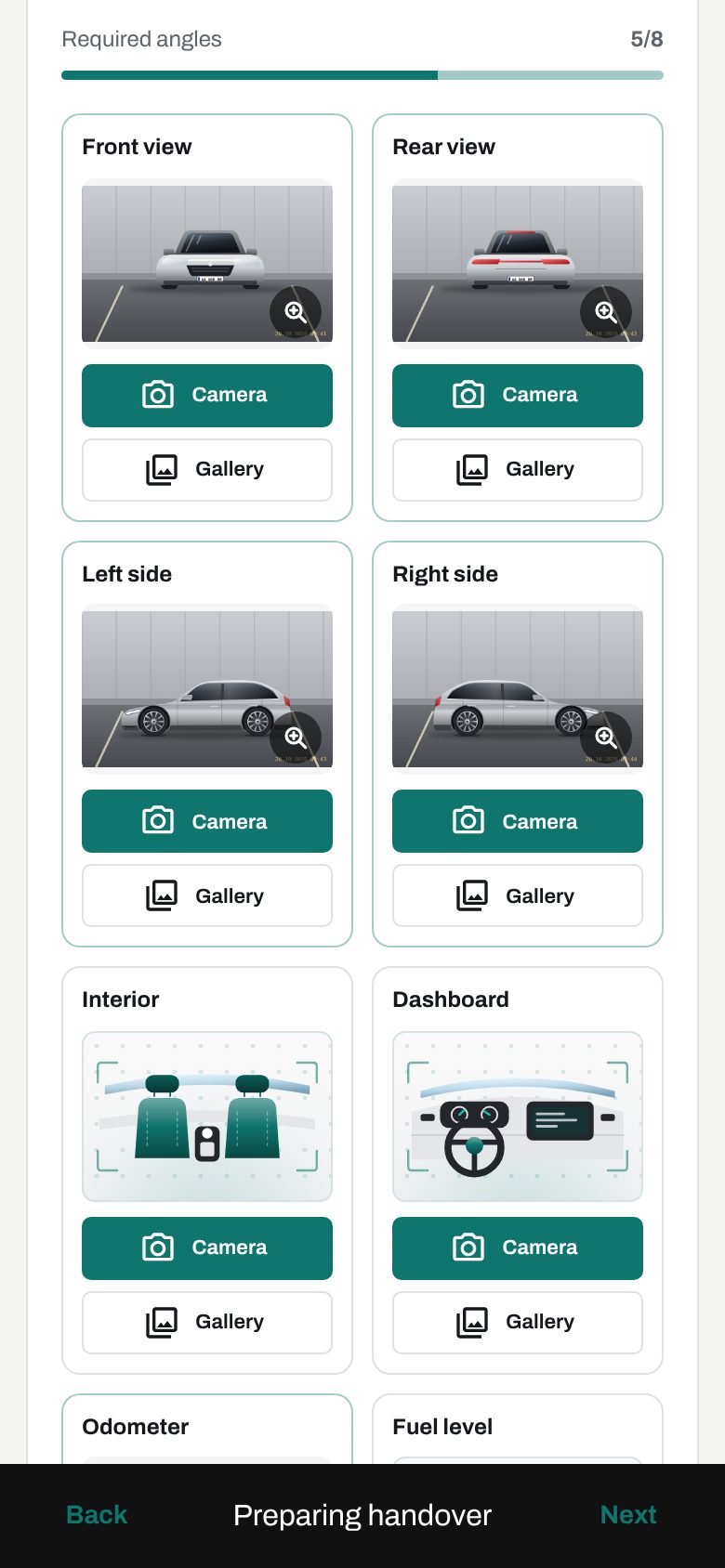
- Handover inspection. Odometer, fuel and a checklist, plus photos of the front, rear, both sides, interior, dashboard and odometer — straight from the phone camera or the gallery, with drawn photo guides showing each angle.
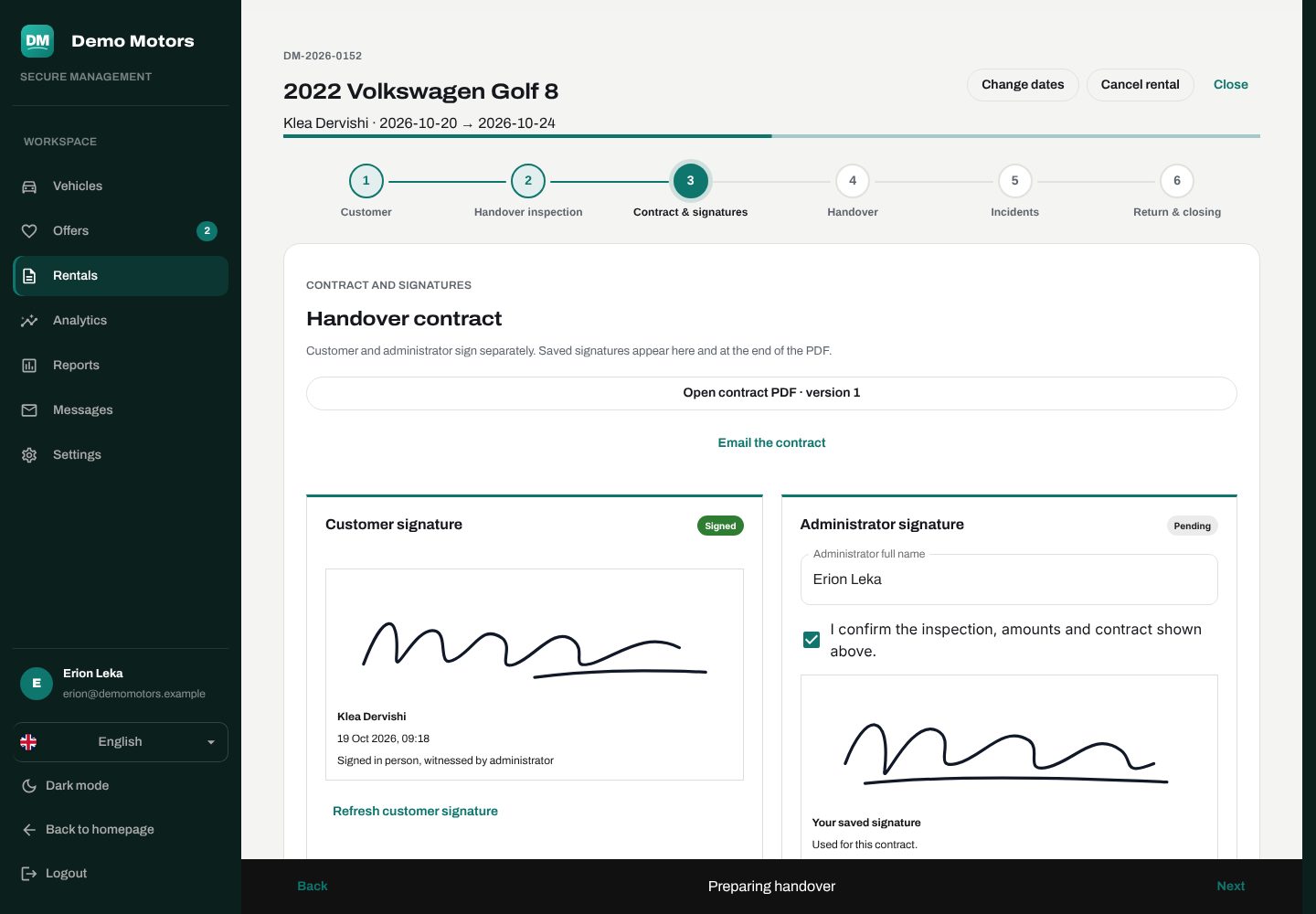
- PDF agreement. A rental agreement in Albanian or English is generated from your terms. Each version is fixed and fingerprinted, so it can't be changed after the fact.
- Signatures. The customer signs in person or remotely from the secure link; your admin signs in the wizard (a saved admin signature makes this one tap).
- Handover. Record the deposit and payment, hand over the keys, and the car becomes rented.
- Active rental. If something happens, record an incident: time, place, severity, police and insurance references, third parties, costs and photos.
- Return inspection. Odometer, fuel, notes, new damage with location, severity and charge.
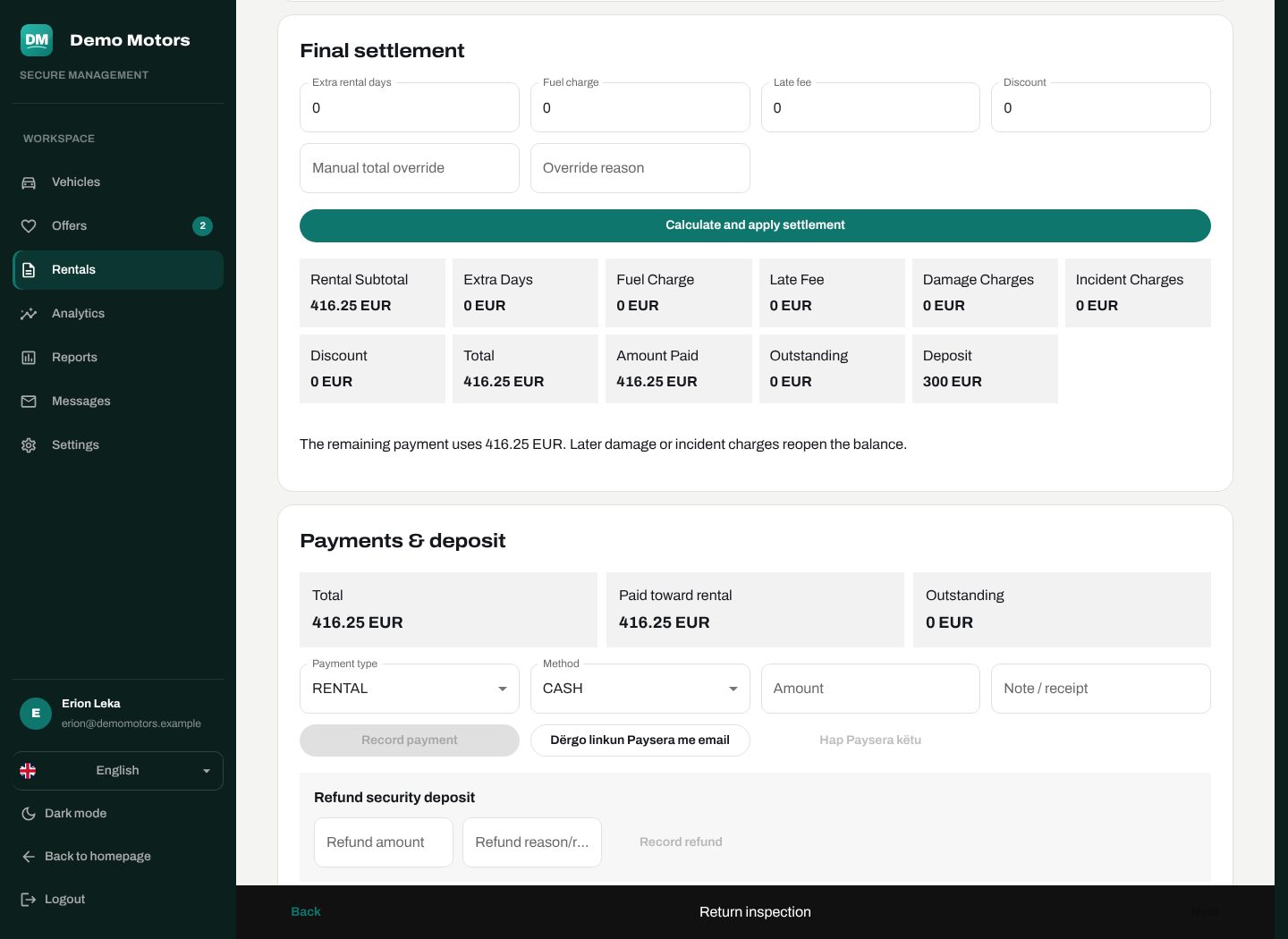
- Settlement and close. The platform calculates extra days, extra kilometres, fuel, delay, damage and chargeable incidents. Record the balance, decide on the deposit, and close.
Contracts you can rely on
Each agreement PDF gets a version and a SHA-256 fingerprint. Every signature is tied to that exact version. When you download a signed contract, it comes with an execution certificate showing both signatures, who signed, their consent and the exact time — while the original PDF stays byte-for-byte unchanged.
Settlement that adds up
- Rental payments and security deposits stay separate.
- The deposit can be refunded, applied, kept or partly kept — keeping it needs a reason.
- A manual total override also needs a reason.
- A rental can't be closed with an unpaid balance, a missing signature or an unbilled incident.
Changing a booking
The team can change dates — the price is recalculated — or cancel. Card refunds, partial or full, go back through Paysera.
Privacy after the rental
Identity documents and routine photos of closed rentals are purged after a retention period (30 days by default). Damage photos, incident photos, contracts, signatures and payments stay. Every cleanup is recorded with who did it and how much was removed.
Plan: the full rental workflow, contracts and online payments are part of the Rental and Business plans.